UK website legal requirements and credibility checks for small business owners
All SMEs worry about UK website legal requirements and missing a legal notice, getting cookie consent wrong, or sounding too formal. The good news: with a few clear basics in place, you can meet core UK requirements and look credible from day one.
This guide explains what legally needs to be on a website in the UK, how to handle privacy, cookies and terms, what to do about accessibility, and how to stress-test your site for trust. It also introduces the 7 C’s framework you can use to keep pages clear and convincing. A short checklist at the end helps you launch with confidence. Note: this is general guidance, not legal advice. Always consult a qualified professional for your specific situation.

What are UK website legal requirements?
Most UK business websites are covered by the Companies Act, the Electronic Commerce Regulations, consumer law and UK GDPR. What you must show depends on your business type, but the following are typical must-haves.
- Company identity. Your registered name, trading name if different, geographic address, company registration number and place of registration (Companies House), and VAT number if registered. Sole traders and partnerships should show the proprietor or partners’ names and a contact address.
- Contact details. A quick way to reach you, typically an email address or contact form plus a geographic address. A phone number is optional but helpful. Make sure your contact route actually works.
- Privacy policy. Explain what personal data you collect, the legal basis, retention, processors, international transfers, and data subject rights. Include contact details for privacy enquiries and how to complain to the ICO.
- Cookie notice and consent. If you use non-essential cookies (analytics, ads), obtain prior consent, allow granular choices, and provide a way to change or withdraw consent. Your cookie policy should list categories, purposes, durations and providers.
- Terms and conditions. Set out website terms of use and, if you sell online, consumer terms covering pricing, delivery, returns, warranties and dispute resolution. Include how you handle faulty goods and the right to cancel where applicable.
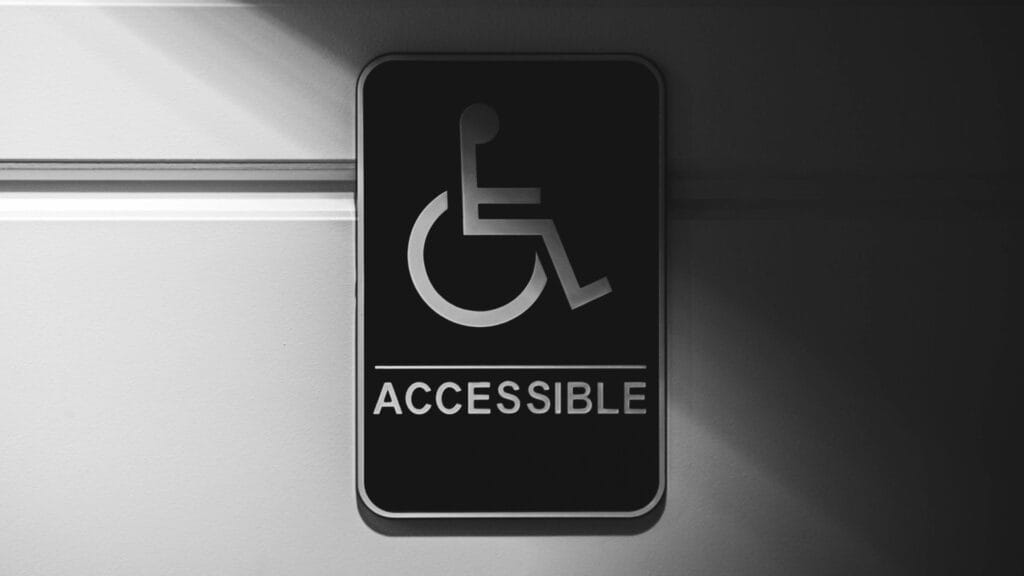
- Accessibility statement. Not mandated for all private SMEs, but strongly recommended. State your commitment, what is accessible now, any known limitations and how users can request alternatives. Aim for WCAG 2.2 AA compliance where possible.
- Sector notices. If regulated (for example, financial services, legal, medical), include any regulator details, disclaimers and required statements.
Keep these items reachable from your footer site-wide and use plain English so visitors know exactly who you are and how you handle their data.

Privacy, cookies and consent, without the jargon
UK GDPR expects transparency. The Information Commissioner’s Office (ICO) provides clear guidance on handling personal data and cookies, helping businesses understand their responsibilities under UK law.
Make privacy content short, layered and human. Start with a summary of what you collect and why, then link to detail. Use headings such as What we collect, Why we collect it, How long we keep it, Who receives it, Your rights, How to contact us.
For cookies, do three things well:
- Show a clear banner on first visit that lets users accept, reject, or view options.
- Block non-essential cookies until consent is given.
- Provide a “cookie settings” link in your footer so users can change their mind.
If you use Google Analytics, set it to anonymise IPs and respect consent. If you embed YouTube or other third parties, use privacy-enhanced modes or a consent gate. Review your setup each April so you are ready for any new guidance as the UK tax year turns and vendors update their scripts.
Accessibility basics for SMEs
Accessibility is not just legal risk reduction, it is better business. Practical steps:
- Structure with logical headings, short paragraphs and meaningful link text.
- Ensure colour contrast and readable text sizes; avoid tiny grey type.
- Provide alt text for informative images; mark decorative images as decorative.
- Make forms keyboard-friendly with clear labels and error messages.
- Avoid autoplaying media and flashing content; provide captions and transcripts.
Use WCAG 2.2 AA as your yardstick. Run quick checks with a screen reader, test keyboard-only navigation, and try a contrast checker. Small improvements often deliver immediate gains in readability and conversions.
The 7 C’s for a credible SME website
Use this simple lens when reviewing each page.
- Clarity. Say what you do, for whom, and what to do next in the first screenful.
- Credibility. Show company details, reviews, memberships and a real address.
- Consistency. Keep tone, design, headings and calls to action uniform across pages.
- Convenience. Make contact obvious, forms short, and navigation simple on mobile.
- Confidence. Use plain-English promises about process, timescales and what happens after an enquiry, without over-claiming.
- Compliance. Keep privacy, cookies, terms and accessibility visible and current.
- Conversion. Guide visitors to a single next step, typically an enquiry or quote.
Review your homepage and contact page through these seven lenses and you will usually find quick wins.
How often should a website be redesigned?
There is no fixed rule. For small UK service businesses, a full redesign every 3 to 5 years is common, with smaller improvements quarterly. Triggers for a redesign include dated visuals, poor mobile performance, unclear messaging, accessibility issues, or a change in services. If search or enquiry volumes dip, test fixes first, such as faster hosting, clearer headlines, improved forms or better photography, before committing to a rebuild.
If you prefer structured help after launch, consider light-touch support so updates do not pile up. JigiWeb offers practical WordPress support focused on stability and fixes. You can learn more about our website maintenance services and how quick checks keep forms and layouts working smoothly.
Pre-launch legal and credibility checklist
Use this before you go live or when you audit an existing site.
- Footer shows company name, registration number, geographic address and VAT number if applicable.
- Privacy policy explains data collected, legal bases, retention, rights and contact route.
- Cookie banner offers accept, reject and settings; non-essential scripts are blocked until consent.
- Terms of use and, if relevant, consumer terms are visible and accurate.
- Accessibility statement published; headings, contrast, alt text and forms tested.
- Contact page includes a simple form, working email route and expected response time.
- Homepage opens with a plain-English summary of who you help and how to get started.

How JigiWeb helps SMEs meet the basics
JigiWeb’s one-off WordPress build focuses on fundamentals that matter to visitors and regulators. The process includes clear content writing for four core pages, a fast, mobile-first build, and plain-English handover guides for GA4, Google Search Console and basic SEO.
- Legal pages placed in the footer with sensible defaults you can tailor with your adviser.
- Simple cookie and privacy patterns explained in non-technical language.
- Accessibility-friendly layouts using Gutenberg blocks and the Blocksy theme.
- A single point of contact and typical replies within one working day.
If you want inspiration before you start, browse our small business website design examples to see clear homepages and contact flows that build trust. For more practical tips, you can also read our web design blog that covers clarity-first ideas and checklists and much more.
Final takeaway
Getting the legal must-haves right while signalling credibility is a manageable checklist, not a maze. Put your identity, policies and contact details where people expect them, handle cookies transparently, aim for WCAG-friendly layouts, and review every page through the 7 C’s.
If you want a straightforward way to launch or refresh without jargon, book a free initial virtual chat with JigiWeb. We will map your essentials, write clear copy and hand over plain-English guides so you stay compliant and confident.